The Garmin Index Smart Scale is a sophisticated health companion that provides a holistic view of your body’s composition, integrating seamlessly into the Garmin Connect fitness ecosystem. It offers detailed metrics beyond just weight, including body fat percentage, skeletal muscle mass, bone mass, and body water percentage. This smart scale is ideal for individuals serious about their health journey, from athletes to fitness enthusiasts, providing data to track, analyze, and improve well-being.
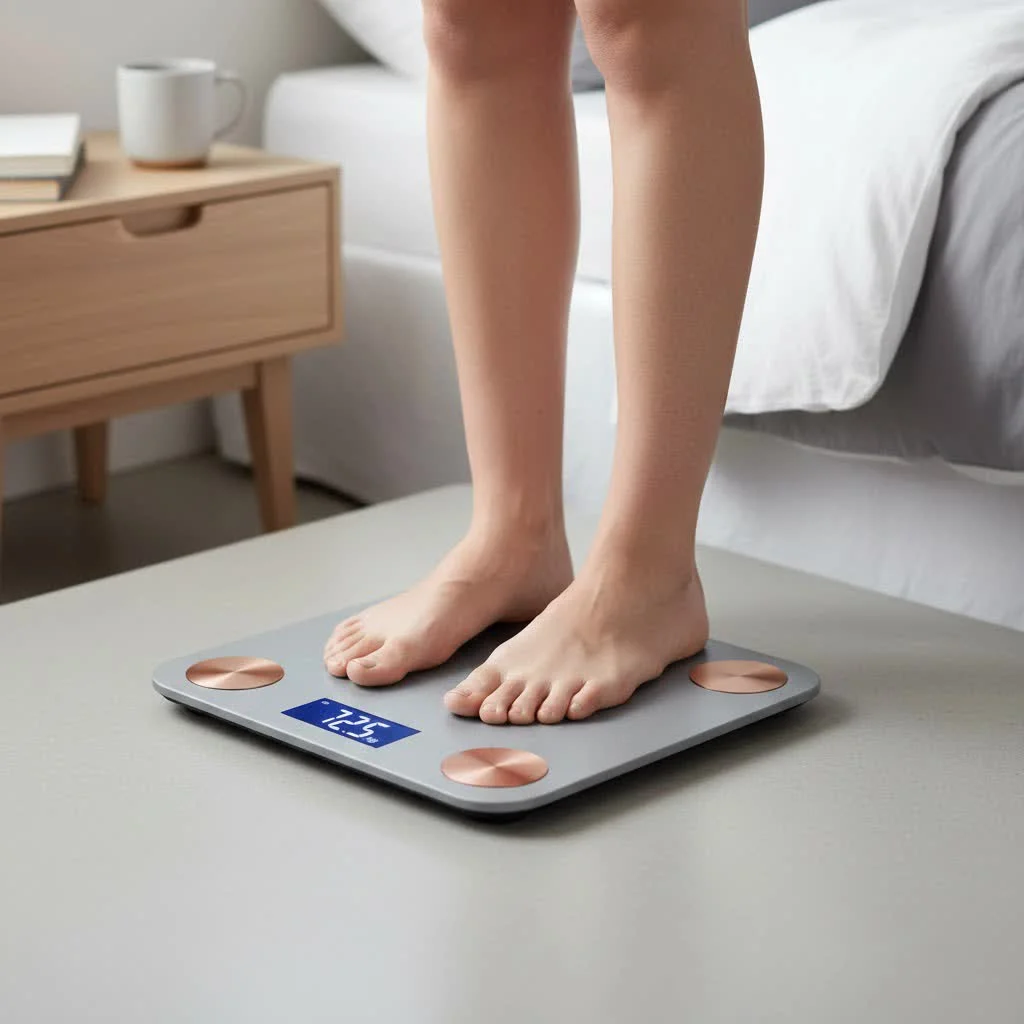
Imagine a tool that doesn’t just tell you your weight, but breaks down that number into muscle, fat, bone, and water. That’s the power of the Garmin Index Smart Scale. It’s built for those who are serious about their health journey, whether you’re an elite athlete, a casual fitness enthusiast, or simply someone striving for a healthier lifestyle. It integrates effortlessly with the Garmin Connect ecosystem, making it an indispensable part of your daily routine for tracking, analyzing, and improving your well-being.
What Makes the Garmin Index Smart Scale Stand Out?
The market is flooded with smart scales, but the Garmin Index Smart Scale carves out its niche through a blend of comprehensive metrics, seamless integration, and user-friendly design. It’s more than just a measurement; it’s a window into your body’s intricate details.
Beyond the Basics: Comprehensive Body Composition Analysis
The true value of the Garmin Index Smart Scale lies in its ability to provide a detailed breakdown of your body composition. When you step on this scale, you’re not just getting a single number. Instead, you’re greeted with a suite of vital health metrics:
- Weight: Your total body weight, of course, displayed accurately.
- Weight Trend: A visual representation of how your weight is changing over time, helping you spot patterns and stay motivated.
- Body Mass Index (BMI): A standard indicator of whether your weight is healthy in proportion to your height.
- Body Fat Percentage: A crucial metric for understanding your overall health, as excess body fat can lead to various health issues.
- Skeletal Muscle Mass: Tracks the total amount of muscle in your body, essential for strength, metabolism, and overall fitness.
- Bone Mass: Provides an estimate of your bone density, an important indicator of bone health.
- Body Water Percentage: Reflects your hydration levels, which can significantly impact performance and well-being.
- Weather Forecast: A convenient extra feature that some models display, giving you a quick peek at the day’s outlook after your weigh-in.
These sophisticated measurements are achieved through Bioelectrical Impedance Analysis (BIA). It simply means the scale sends a small, imperceptible electrical current through your body from one foot to the other. Different tissues, like muscle (which contains more water) and fat (which contains less), conduct electricity differently. By measuring this impedance, the scale can estimate your body composition. It’s a non-invasive and quick way to get valuable data.
Seamless Integration with the Garmin Connect Ecosystem
|
Our Picks for the Best Smart Scale in 2026
As an Amazon Associate I earn from qualifying purchases.
|
||
| Num | Product | Action |
|---|---|---|
| 1 | GE Scale for Body Weight, Body Fat, BMI, Muscle Mass, Smart Bathroom Scales with 14 Body Composition Metrics with Large Display, Accurate Bluetooth Weighing Machine with Fitness App, 400 lbs |

|
| 2 | Ovutek Smart Scale for Body Weight, Professional Bathroom Digital Scale with BMI, Body Fat, Muscle Mass, Most Accurate to 0.05lb, Large Display High Accurate Body Composition Machine with Fitness App |
|
| 3 | GE Smart Scale for Body Weight: 8-Electrode Digital Bathroom Scale for Weight Fat BMI Muscle Mass Full Body Composition Analyzer 27 Measurements Bluetooth Highly Accurate Weighing Machine 400lb Black |
|
| 4 | RENPHO Smart Scale for Body Weight, FSA&HSA Eligible, Digital Bathroom Scale BMI Weighing Bluetooth Body Fat Scale, Body Composition Monitor Health Analyzer with Smartphone App, 400 lbs - Elis 1 |
|
| 5 | Etekcity Smart Scale for Body Weight, FSA&HSA Eligible, Bathroom Digital Weighing Scale with BMI, Body Fat, Muscle Mass, Accurate Bluetooth Home User Health Equipment Sync Apps |
|
| 6 | WITHINGS Body Smart - Accurate Scale for Body Weight and Fat Percentage, Body Composition Wi-Fi and Bluetooth Weight Scale, Baby Weight Scale, Smart Scale Apple Health Compatible, Bathroom Scale |
|
| 7 | Etekcity Upgraded Smart Scale for Body Weight, FSA&HSA Eligible, Bathroom Digital Scale with BMI, Body Fat, Muscle Mass, 13 Metrics with a Large Display, Support Offline Mode and Apps Connection |
|
| 8 | Alcedo Smart Body Fat Scale, Digital Scale with BMI, Fat Percentage, Muscle Mass, Color-Changing with Weight Variation, 400 lb, Bluetooth |
|
| 9 | Etekcity FSA&HSA Eligible Smart Scale for Body Weight Fat, Digital Bathroom Weighing Machine for Accurate BMI Muscle Mass Composition, Home Use Apple Health Compatible Fitness Equipment |
|
| 10 | Wyze Scale Ultra, Smart Scale with 4.3\" Color Display, Digital Bathroom Scale for Body Weight BMI Muscle Mass Composition, Wi-Fi & Bluetooth Body Fat Scale with Heart Rate, 400 lbs (Black) |
|
For anyone already invested in Garmin’s suite of fitness trackers, smartwatches, or cycling computers, the Garmin Index Smart Scale is an absolute major upgrade. It’s designed to be a natural extension of your Garmin world, providing a truly holistic view of your health data.
The scale connects effortlessly via Wi-Fi, Bluetooth, and ANT+, automatically syncing all your measurements to your Garmin Connect account. This means you don’t need to manually log anything. Just step on, and your data appears instantly in the app, alongside your activity levels, sleep patterns, heart rate data, and more. This central hub allows you to track trends, set goals, and gain deeper insights into how your lifestyle choices impact your body composition. One of my favorite features within Garmin Connect is the “Fitness Age” metric, which factors in your scale data to give you a more engaging and motivational goal to work towards.
Crystal Clear Insights: The Color Display
Unlike many smart scales that require you to check an app for detailed readings, the Garmin Index Smart Scale (especially the S2 model) boasts a vibrant, easy-to-read color display. This clear screen shows your current weight, body composition stats, and even visual graphs of your weight trends directly on the scale. It’s a small but significant detail that enhances the user experience, providing immediate feedback without needing to reach for your phone every time. The crisp resolution makes icons and text sharp, ensuring you can quickly grasp your readings even when standing up.
Setting Up Your Path to Better Health: Getting Started with Garmin Index Smart Scale
Bringing the Garmin Index Smart Scale into your home is a straightforward process, but a few key steps ensure you get the most out of your device from day one. Think of it as laying the foundation for a healthier you.
Unboxing and Initial Power-Up
Upon unboxing, you’ll find the scale and a set of AA batteries. Insert the batteries into the compartment on the underside of the scale. The device will automatically power on and enter pairing mode. If you plan to use your scale on carpeted floors, to install the included risers on each foot. These small but important additions ensure stability and more accurate readings by providing a firm, level base. If you have a hard, flat floor, the risers aren’t necessary. You’ll also find a switch to select your preferred units of measure (pounds, kilograms, or stones), which you can set right away.
Connecting to Garmin Connect: The Core of the Experience
The real magic happens when you connect your scale to the Garmin Connect app. This app is your central command for all things Garmin and health-related.
- Download and Open Garmin Connect: If you don’t already have it, download the Garmin Connect app on your compatible smartphone and create an account.
- Add Your Device: In the app, navigate to “Garmin Devices” and select “Add Device.” The app will automatically search for and connect to your Garmin Index Smart Scale.
- Follow On-Screen Instructions: The app will guide you through the remaining setup steps, including connecting your scale to your home Wi-Fi network. A stable Wi-Fi connection is crucial for automatic data uploads. You might need to wait a few minutes for any software updates to complete.
Once connected, your weigh-ins will seamlessly sync to your account, appearing instantly in your personalized dashboard.
Adding Family and Friends: Up to 16 Users
The Garmin Index Smart Scale isn’t just for you; it’s for the whole household! It supports up to 16 individual user profiles, making it perfect for families, roommates, or even a small sports team. Each user needs their own Garmin Connect account.
To invite others:
- From Garmin Connect: The device owner can send invitations directly from their Garmin Connect app or web portal.
- Accept Invitation: Invited users will receive a notification and must accept the invitation in their own Garmin Connect account.
The scale intelligently identifies users based on their weight and historical data. When multiple users have similar weights, you can simply tap the scale with your foot to cycle through the initials displayed until you see yours, ensuring your data is always recorded correctly in your personal profile.
Maximizing Accuracy and Consistency: Tips for Reliable Readings
While the Garmin Index Smart Scale is engineered for precision, how you use it significantly impacts the reliability and consistency of your body composition readings. As with any advanced tracking tool, a little user awareness goes a long way.
The Importance of Routine: Same Time, Same Conditions
Consistency is king when it comes to smart scale readings. For the most accurate and comparable data, aim to weigh yourself:
- At the same time each day: First thing in the morning, after using the restroom, and before eating or drinking, is often recommended.
- Under similar conditions: Hydration levels, recent exercise, and even the temperature of your skin can affect BIA readings. Avoid weighing yourself within a few hours of intense exercise, heavy meals, bathing, or using a sauna.
This routine helps minimize daily fluctuations caused by external factors, allowing you to track genuine physiological changes over time.
Barefoot is Best: Why Contact Matters
For the scale to perform its Bioelectrical Impedance Analysis (BIA) and measure your body composition, it needs direct skin contact. Always step onto the Garmin Index Smart Scale with bare feet. Wearing socks or shoes will prevent the electrical current from passing through your body, meaning the scale can only record your weight and not the detailed body composition metrics. Ensure your feet are placed flat on the glass surface, avoiding contact with the screen or the Garmin logo for optimal results.
Placement Matters: Hard, Flat Surface
For consistent and accurate weight measurements, the scale must be placed on a hard, flat, and stable surface. Soft surfaces like thick carpets can cause the scale to wobble slightly, leading to inaccurate readings. If you must use it on carpet, ensure the risers are correctly installed to provide the necessary stability.
Understanding BIA Limitations and Progress Tracking
It’s important to understand that BIA technology, while incredibly useful for tracking trends, provides an estimate of body composition. These estimates can have a margin of error (typically around 5%) and can be influenced by hydration levels.
The key takeaway here is consistency, not absolute perfection. While a BIA reading might not match a highly precise medical scan (like a DEXA scan) exactly, its real power lies in showing you how your body composition is changing over time. If you consistently use the scale under the same conditions, you’ll see reliable trends, which is far more valuable for guiding your health journey than a single, isolated measurement. Focus on the trends to understand your progress.
Calibrating with Professional Data
A truly innovative feature, especially for those seeking the highest level of accuracy, is the ability to calibrate your scale data within the Garmin Connect app. If you have access to a more precise body composition measurement method, such as a professional DEXA scan or a 7-point caliper reading from a trained expert, you can input these figures into Garmin Connect as an “anchor point.” The Garmin Index Smart Scale will then use this benchmark to refine its future estimations, providing you with even more personalized and potentially more accurate long-term tracking.
The Garmin Connect Advantage: Your Personalized Health Hub
The Garmin Index Smart Scale truly shines when integrated with the powerful Garmin Connect app. This isn’t just a place to dump your data; it’s an intelligent platform that transforms raw numbers into actionable insights, helping you visualize your journey and stay motivated.
Visualizing Your Progress: Trends and Goals
Within Garmin Connect, all your scale data—weight, body fat, muscle mass, and more—is presented in clear, easy-to-understand graphs and charts. You can view trends over days, weeks, months, or even years, allowing you to see the bigger picture of your health evolution. Setting specific weight or body composition goals within the app provides a visual target, making it easier to track your progress and celebrate milestones. Seeing that line graph move towards your goal can be incredibly motivating!
Customizing Your View: What Metrics Matter Most to You
Garmin Connect also gives you control over what information you see, both on the scale’s display and within the app. You can customize the widgets on your Garmin Index Smart Scale, choosing which metrics scroll across the screen during your weigh-in. This means you can prioritize the data that is most meaningful to your current goals, whether that’s daily weight changes or long-term muscle mass trends. This personalization ensures the information you receive is always relevant and helpful.
As Dr. Evelyn Reed, a leading health informatics specialist, often says, “Data is only powerful if it’s presented in a way that empowers the user. The Garmin Connect ecosystem excels at making complex body metrics accessible and actionable for everyday health management.”
Addressing Common Questions About the Garmin Index Smart Scale
Even with all its features, you might have some specific questions about the Garmin Index Smart Scale. Here are answers to some of the most frequently asked inquiries:
Q: How accurate are the body composition readings?
A: For weight, the Garmin Index Smart Scale is highly accurate and consistent, typically within 0.1 pounds (0.05 kg). For body composition metrics like body fat and muscle mass, it uses Bioelectrical Impedance Analysis (BIA), which provides a reliable estimate. While BIA results can vary slightly compared to clinical methods like DEXA scans due to factors like hydration, the scale’s consistency in measuring trends over time is its primary strength. Using it consistently under the same conditions helps ensure accurate trend tracking.
Q: Can I use it without other Garmin devices?
A: Absolutely! While the Garmin Index Smart Scale integrates seamlessly with other Garmin devices, it functions perfectly well as a standalone smart scale. All your data will still sync automatically via Wi-Fi to the Garmin Connect app, where you can view your metrics, track progress, and set goals without needing a Garmin watch or bike computer.
Q: How many users can the Garmin Index Smart Scale support?
A: The Garmin Index Smart Scale is designed for household use, supporting up to 16 individual user profiles. Each user needs their own Garmin Connect account, and the scale intelligently identifies individuals based on their weight. If two users have similar weights, a simple tap of the scale allows you to select your initials to ensure your data is recorded correctly.
Q: What if I have connectivity issues?
A: Most connectivity issues during initial setup are related to Wi-Fi. Ensure your scale is within range of your Wi-Fi router and that the network details are entered correctly in the Garmin Connect app. If issues persist, try restarting your router, or consult the device manual for troubleshooting steps like resetting the scale to factory defaults (which won’t delete data from your Garmin Connect account). Bluetooth is also available for direct syncing if Wi-Fi proves challenging, though Wi-Fi enables automatic, hands-free uploads.
Q: Is it safe for everyone to use?
A: The Garmin Index Smart Scale uses a small electrical current for its body composition analysis (BIA). Therefore, it should not be used by individuals with pacemakers, implanted defibrillators, or other internal medical devices. Pregnant women should consult their physician before using any smart scale that uses BIA. The scale can still be used for weight-only measurements in these cases by selecting the appropriate settings if available, or by simply wearing socks.
Embrace Your Health Journey with Garmin Index Smart Scale
The journey to better health is a personal one, and the Garmin Index Smart Scale is designed to be a powerful, intelligent companion every step of the way. It moves beyond the limitations of a traditional scale, offering a profound understanding of your body’s composition, from muscle mass to bone density. By seamlessly integrating with the Garmin Connect ecosystem, it provides a unified platform to track all aspects of your wellness, empowering you with data that is both comprehensive and easy to understand.
This smart scale isn’t just about numbers; it’s about providing you with the insights you need to make informed decisions, set realistic goals, and celebrate your progress. Whether you’re aiming to shed a few pounds, build muscle, or simply maintain a healthier lifestyle, the Garmin Index Smart Scale offers the precision, connectivity, and clarity to guide you. Take control of your health journey today and experience the difference a truly smart scale can make.
Frequently Asked Questions
How accurate are the body composition readings on the Garmin Index Smart Scale?
For weight, the Garmin Index Smart Scale is highly accurate, typically within 0.1 pounds (0.05 kg). Body composition metrics like body fat and muscle mass are reliable estimates using Bioelectrical Impedance Analysis (BIA). Consistent use under similar conditions ensures accurate trend tracking, which is its primary strength.
Can the Garmin Index Smart Scale be used without other Garmin devices?
Yes, the Garmin Index Smart Scale functions perfectly as a standalone smart scale. All data automatically syncs via Wi-Fi to the Garmin Connect app, allowing users to view metrics, track progress, and set goals without needing a Garmin watch or bike computer.
How many individual user profiles does the Garmin Index Smart Scale support?
The Garmin Index Smart Scale supports up to 16 individual user profiles, making it suitable for families or multiple users. Each user requires their own Garmin Connect account, and the scale intelligently identifies individuals based on their weight and historical data.
What should I do if I experience connectivity issues with my Garmin Index Smart Scale?
Most connectivity issues are Wi-Fi related. Ensure the scale is within range of your router and network details are correct in the Garmin Connect app. Restarting your router or consulting the manual for troubleshooting, such as resetting the scale, can resolve persistent problems. Bluetooth is also an option for direct syncing.
Is the Garmin Index Smart Scale safe for all individuals to use?
The Garmin Index Smart Scale uses Bioelectrical Impedance Analysis (BIA) and should not be used by individuals with pacemakers, implanted defibrillators, or other internal medical devices. Pregnant women should consult their physician before use. For these individuals, the scale can still be used for weight-only measurements by wearing socks.
Smart home that does not lock you in
Free PDF — protocol compatibility matrix for 30 hubs and devices.
As an athlete, having detailed metrics like bone mass and muscle mass is crucial for my training. The Garmin Index Smart Scale delivers exactly that. It’s incredibly accurate and the data helps me make informed decisions about my diet and workout routine. Definitely recommend it for anyone serious about their fitness journey.
I was really excited about the Garmin Index Smart Scale, especially for tracking skeletal muscle mass. It does a good job with the metrics, and the data is consistent. However, I found the price point a bit high compared to some other smart scales that offer similar features. It’s a good scale, but I wish it was a little more affordable.
I’ve been using the Garmin Index Smart Scale for about a month now and it’s been a game-changer. The integration with Garmin Connect is super smooth, and seeing all my data in one place really helps me track my progress. I love getting the breakdown of body fat percentage and muscle mass, it’s so much more motivating than just a number on a regular scale.
This scale is pretty solid. I appreciate how it gives me more than just my weight, especially the body water percentage which I’ve been trying to monitor. Setting it up was a breeze, and it feels really well-built. My only minor complaint is that sometimes it takes a second or two longer than I’d expect to sync the data, but it always gets there.