In today’s fast-paced world, staying on top of your health can feel like a full-time job. But what if you could have a silent, intelligent partner monitoring your progress, providing insights, and helping you achieve your wellness goals effortlessly? That’s precisely what a Smart Scale Apple Health integration offers. As a dedicated health tech enthusiast and content creator for Zhoez.com, I’ve spent over a decade exploring how these innovative devices transform our understanding of personal well-being. Connecting your smart scale to Apple Health isn’t just about tracking weight; it’s about building a comprehensive, holistic picture of your body’s journey, right at your fingertips.
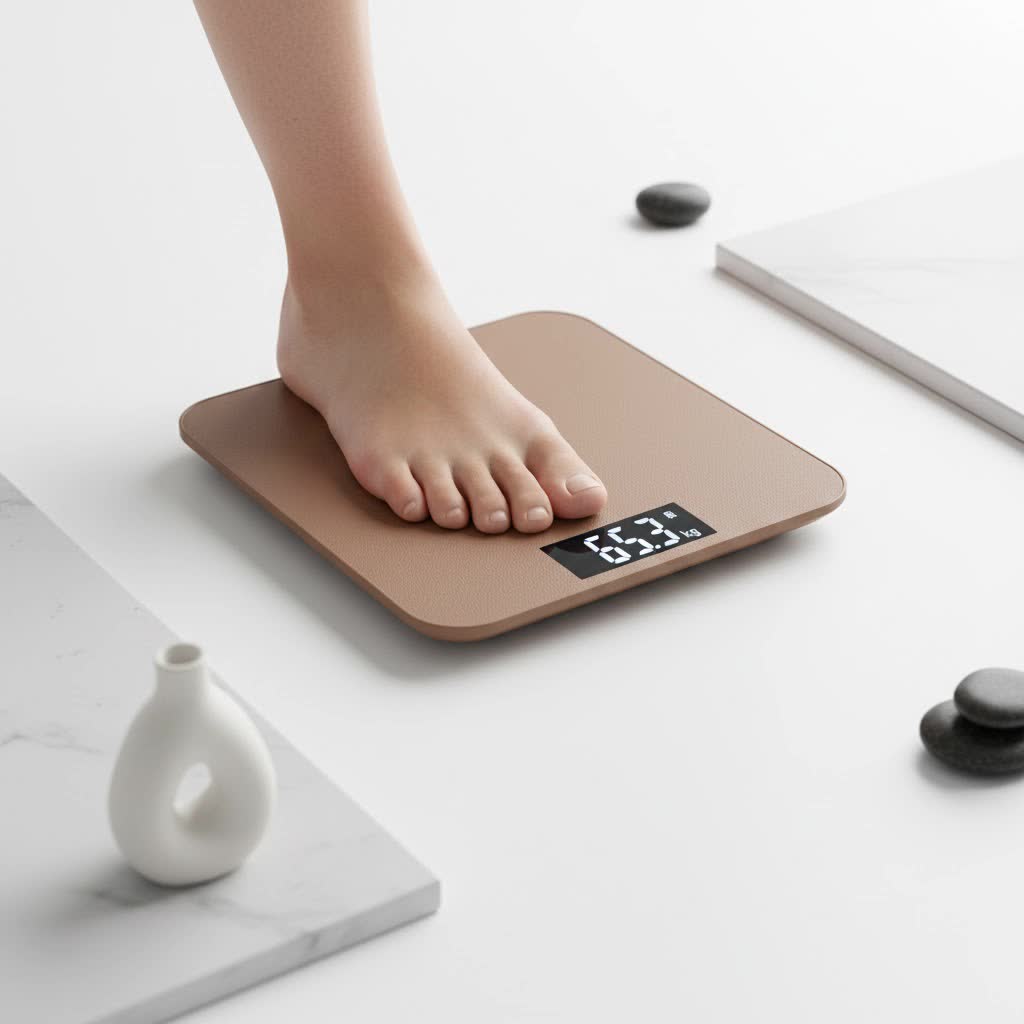
This guide will dive deep into why this synergy is a game-changer, what to look for in a compatible smart scale, and how to seamlessly integrate your data to unlock a new level of health insight. Get ready to transform raw numbers into actionable wisdom for a healthier, more vibrant you.
Why Your Smart Scale Needs to Talk to Apple Health
Imagine having all your health metrics – from your morning run to your sleep patterns and, crucially, your body composition – neatly organized in one secure place. That’s the core benefit of bringing your smart scale Apple Health data together. Apple Health acts as a central hub, a digital dashboard for your well-being.
What Data Can Your Smart Scale Share with Apple Health?
Modern smart scales do far more than just measure your weight. They utilize advanced bio-electrical impedance analysis (BIA) to provide a rich tapestry of body composition metrics. When integrated with Apple Health, these scales can typically sync a variety of valuable data points, offering a much deeper understanding than a traditional scale.
Here are some common metrics your smart scale can send to Apple Health:
- Weight: The foundational metric, accurately tracked over time.
- Body Mass Index (BMI): A calculation based on your height and weight, providing a general indicator of body fat.
- Body Fat Percentage: A crucial metric for understanding your body composition beyond just weight.
- Muscle Mass: Helps you track changes in your lean body mass, important for fitness and metabolism.
- Bone Mass: Provides an estimate of the amount of bone tissue in your body.
- Body Water Percentage: Indicates your hydration levels, vital for overall health.
- Visceral Fat Index: Measures the fat surrounding your organs, a key indicator of metabolic health.
- Skeletal Muscle Mass: The amount of muscle attached to your bones.
|
Our Picks for the Best Smart Scale in 2026
As an Amazon Associate I earn from qualifying purchases.
|
||
| Num | Product | Action |
|---|---|---|
| 1 | Etekcity Upgraded Smart Scale for Body Weight, FSA&HSA Eligible, Bathroom Digital Scale with BMI, Body Fat, Muscle Mass, 13 Metrics with a Large Display, Support Offline Mode and Apps Connection |

|
| 2 | Alcedo Smart Body Fat Scale, Digital Scale with BMI, Fat Percentage, Muscle Mass, Color-Changing with Weight Variation, 400 lb, Bluetooth |
|
| 3 | Wyze Scale Ultra, Smart Scale with 4.3\" Color Display, Digital Bathroom Scale for Body Weight BMI Muscle Mass Composition, Wi-Fi & Bluetooth Body Fat Scale with Heart Rate, 400 lbs (Black) |
|
| 4 | Etekcity FSA&HSA Eligible Smart Scale for Body Weight Fat, Digital Bathroom Weighing Machine for Accurate BMI Muscle Mass Composition, Home Use Apple Health Compatible Fitness Equipment |
|
| 5 | Etekcity Smart Scale for Body Weight, FSA&HSA Eligible, Bathroom Digital Weighing Scale with BMI, Body Fat, Muscle Mass, Accurate Bluetooth Home User Health Equipment Sync Apps |
|
| 6 | GE Smart Scale for Body Weight: 8-Electrode Digital Bathroom Scale for Weight Fat BMI Muscle Mass Full Body Composition Analyzer 27 Measurements Bluetooth Highly Accurate Weighing Machine 400lb Black |
|
| 7 | Ovutek Smart Scale for Body Weight, Professional Bathroom Digital Scale with BMI, Body Fat, Muscle Mass, Most Accurate to 0.05lb, Large Display High Accurate Body Composition Machine with Fitness App |
|
| 8 | RENPHO Smart Scale for Body Weight, FSA&HSA Eligible, Digital Bathroom Scale BMI Weighing Bluetooth Body Fat Scale, Body Composition Monitor Health Analyzer with Smartphone App, 400 lbs - Elis 1 |
|
| 9 | WITHINGS Body Smart - Accurate Scale for Body Weight and Fat Percentage, Body Composition Wi-Fi and Bluetooth Weight Scale, Baby Weight Scale, Smart Scale Apple Health Compatible, Bathroom Scale |
|
| 10 | GE Scale for Body Weight, Body Fat, BMI, Muscle Mass, Smart Bathroom Scales with 14 Body Composition Metrics with Large Display, Accurate Bluetooth Weighing Machine with Fitness App, 400 lbs |
|
Some advanced smart scales even offer features like heart rate tracking, vascular age, and nerve health, which, if supported by the scale’s companion app, can also contribute to your Apple Health profile.
The Power of a Unified Health View
“The real magic happens when your smart scale data is no longer isolated,” explains Dr. Elena Petrova, a leading Health Tech Analyst at Zhoez.com. “By flowing into Apple Health, it joins forces with activity data from your Apple Watch, sleep logs from your apps, and even nutrition details. This unified view empowers users to identify patterns and make informed decisions about their lifestyle that isolated data points simply can’t reveal.”
This holistic approach means you can see how changes in your exercise routine affect your muscle mass, or how improved sleep impacts your overall body composition trends. It transforms health tracking from a fragmented chore into an insightful journey.
Choosing the Right Smart Scale for Apple Health Integration
Not all smart scales are created equal when it comes to playing nicely with Apple Health. The key lies in “HealthKit” compatibility. HealthKit is Apple’s framework that allows various health and fitness apps and devices to securely share data with the Apple Health app.
What to Look for in a Compatible Smart Scale:
When you’re ready to invest in a smart scale Apple Health compatible device, keep these factors in mind:
- HealthKit Compatibility (Non-negotiable): This is the most critical feature. Ensure the scale explicitly states it syncs with Apple Health or supports HealthKit. You’ll usually find this information on the product packaging, manufacturer’s website, or in app store descriptions for the scale’s companion app.
- Accuracy and Consistency: A smart scale is only as good as its measurements. Look for scales with positive reviews regarding accuracy and consistent readings. Features like multiple sensors can contribute to reliability.
- Metrics Tracked: Consider which body composition metrics are most important to you. A basic scale might only track weight and BMI, while more advanced models offer a comprehensive suite of data points like body fat, muscle mass, bone mass, and more.
- Companion App Experience: Most smart scales require their own app to operate and sync with Apple Health. A user-friendly, intuitive app that provides clear data visualization and insights is crucial for a good experience. Check app store ratings and reviews.
- Connectivity (Wi-Fi vs. Bluetooth):
- Wi-Fi scales often offer seamless, automatic syncing without needing your phone nearby during every weigh-in. Data is sent directly to the cloud and then to Apple Health.
- Bluetooth scales require your phone to be within range and the app open (or running in the background) to sync data. They are often more affordable.
- Many scales offer both, giving you flexibility.
- User Capacity: If multiple family members plan to use the scale, check its user recognition capabilities. Many scales automatically identify different users and store their data separately.
- Battery Life: Scales with longer battery life require less frequent charging or battery replacement, adding to convenience.
- Price Point: Smart scales range widely in price, from budget-friendly options under $40 to premium models costing several hundred dollars. Determine your budget and balance it with the features you need.
- Special Features: Some scales offer unique modes for athletes, pregnant women, or babies, which might be a deciding factor for specific users.
Top Smart Scale Brands Known for Apple Health Integration
Several brands have a strong track record of seamless integration with Apple Health:
- Withings: Often considered a gold standard, Withings offers a range of scales (Body Smart, Body Comp, Body Scan) known for their accuracy, extensive metrics, and reliable Apple Health syncing via their Health Mate app.
- RENPHO: A popular choice for its affordability and robust feature set, RENPHO scales typically connect easily to Apple Health and track numerous body composition metrics.
- eufy by Anker: Known for user-friendly devices, eufy smart scales often provide good value and integrate well with Apple Health.
- FitTrack: Offers scales like the Dara that track a high number of metrics and support Apple Health.
- Wyze: Provides an affordable smart scale option with good app integration and Apple Health compatibility.
Remember, always double-check the latest compatibility information for any specific model you’re considering, as app updates and operating system changes can sometimes affect integration.
Connecting Your Smart Scale to Apple Health: A Step-by-Step Guide
The process of connecting your smart scale Apple Health is generally straightforward, though specific steps might vary slightly depending on your scale’s brand and its companion app. Here’s a general overview:
Step 1: Set Up Your Smart Scale
- Unbox and Install Batteries: Follow the manufacturer’s instructions to get your scale ready.
- Download the Companion App: Search for your scale’s official app (e.g., Withings Health Mate, RENPHO Health) in the Apple App Store and download it.
- Create an Account: Open the app and follow the prompts to create your user profile, entering basic information like height, age, and gender.
- Pair the Scale: The app will guide you through connecting your scale via Bluetooth or Wi-Fi. Ensure your phone’s Bluetooth is on, or that your scale is connected to your home Wi-Fi network as instructed.
- Take Your First Measurement: Step on the scale to ensure it’s functioning correctly and sending data to its own app.
Step 2: Grant Permissions to Apple Health
- Access Health App Settings: In your scale’s companion app, look for a “Settings,” “Connections,” or “Integrations” section. You should find an option to connect to “Apple Health” or “HealthKit.”
- Review Permissions: Tapping on the Apple Health integration option will typically redirect you to the Apple Health app or a system settings screen. Here, you’ll be prompted to grant permission for your smart scale’s app to write specific data categories (like Weight, Body Fat Percentage, Lean Body Mass, etc.) to Apple Health.
- Enable All Relevant Data: For a comprehensive view, it’s generally recommended to enable all the data categories offered by your scale. This ensures all available metrics are synced. You can always manage these permissions later within the Apple Health app itself (under “Sources”).
Step 3: Verify Data Sync
- Take a New Measurement: After granting permissions, step on your smart scale again.
- Check Apple Health: Open the Apple Health app on your iPhone. Navigate to the “Browse” tab, then select “Body Measurements” (or search for specific metrics like “Weight” or “Body Fat Percentage”). You should see your latest readings appear, along with historical data if you’ve been using the scale.
- Troubleshooting Tip: If data isn’t syncing, double-check the permissions in both the scale’s app and the Apple Health app’s “Sources” section. Ensure both apps are updated to their latest versions, and sometimes, simply restarting your phone can help.
Maximizing Your Health Journey with Smart Scale Apple Health Data
Once your smart scale and Apple Health are working in harmony, you’ve unlocked a powerful tool for personal health management. But how do you make the most of it?
Understanding Your Trends
Focus on trends, not just individual numbers. Your weight and body composition naturally fluctuate daily due to hydration, food intake, and other factors. Apple Health’s graphical displays allow you to visualize these trends over weeks, months, or even years, revealing the bigger picture of your progress. Are you consistently moving towards your goals? Are certain lifestyle changes yielding positive results?
Connecting the Dots with Other Data
This is where Apple Health truly shines. Look at how your smart scale data correlates with other health metrics:
- Activity Levels: If your body fat percentage is decreasing while your muscle mass is increasing, check your activity data from your Apple Watch. Are you consistently hitting your exercise goals?
- Sleep Patterns: Is a period of poor sleep impacting your weight management efforts or energy levels for workouts?
- Nutrition: While Apple Health doesn’t directly track food intake, you can manually log it or use compatible nutrition apps that also sync, allowing you to see how diet influences your body composition.
“Think of Apple Health as your personal health detective,” says Dr. Petrova. “The more clues you provide through connected devices like your smart scale, the better it can help you solve the mystery of what truly drives your health and well-being.”
Setting and Achieving Realistic Goals
With robust data at your fingertips, you can set more informed and realistic health goals. Instead of just “lose weight,” you might aim to “increase muscle mass by X%” or “reduce body fat percentage by Y%.” The granular data from your smart scale provides tangible progress markers, keeping you motivated. Share this data with your doctor or fitness coach for personalized advice and accountability.
Frequently Asked Questions (FAQ) About Smart Scales and Apple Health
Q: Why isn’t my smart scale data showing up in Apple Health?
A: First, ensure your scale’s companion app has permission to write data to Apple Health. Go to the Apple Health app, tap “Summary” or “Browse,” then tap your profile picture > “Apps” > your scale’s app, and ensure all desired categories are enabled. Also, check that your scale has successfully synced with its own app.
Q: Do all smart scales work with Apple Health?
A: No, not all smart scales are compatible. It’s crucial to verify that a smart scale explicitly supports Apple Health or HealthKit integration before purchasing. Always check the product specifications and app features.
Q: Can I manually add smart scale data to Apple Health?
A: While you can manually add weight data to Apple Health, the primary benefit of a smart scale is automatic, consistent, and comprehensive tracking of various body composition metrics. Manually entering all these details would defeat the purpose of automation.
Q: What’s the difference between Wi-Fi and Bluetooth smart scales for Apple Health?
A: Wi-Fi scales typically sync data automatically to the cloud and then to Apple Health without needing your phone present. Bluetooth scales usually require your phone to be nearby with the app running to transfer data. Both can integrate with Apple Health, but Wi-Fi offers more convenience.
Q: Is my health data secure when using a smart scale with Apple Health?
A: Apple Health is designed with strong privacy and security features. You have granular control over which apps and devices can access specific data categories. Reputable smart scale manufacturers also adhere to data privacy standards. Always review the privacy policies of the apps and devices you use.
Q: Can multiple users on one smart scale sync to different Apple Health accounts?
A: Yes, most multi-user smart scales can differentiate users. Each user will need to set up their profile in the scale’s companion app and grant permissions to their individual Apple Health app on their respective iPhones. The scale will then send data to the correct user’s profile.
Embrace a Smarter Way to Health
Integrating your smart scale Apple Health is more than just a tech-savvy convenience; it’s an investment in a more informed, proactive approach to your personal health. By seamlessly bringing together detailed body composition insights with your other wellness data, you empower yourself to see the full picture, understand the ‘why’ behind the numbers, and make meaningful changes that lead to lasting results.
At Zhoez.com, we believe that understanding your body is the first step towards transforming your health. So, take that step today. Explore the world of HealthKit-compatible smart scales, connect your data, and embark on a journey where every weigh-in becomes a moment of insightful progress. Your future self will thank you for taking control of your health with intelligence and clarity.
